Using Tesla Fleet API with Home Assistant
Most of the friction in getting a Tesla into Home Assistant has nothing to do with Tesla. It's the modern Fleet API's bouncer at the door: a public-key endpoint your domain has to serve before Tesla will pair the car with anything you control. The official docs gesture at it. The community forums oscillate between "it works for me" and eighteen-step guides. This is what I ended up with, and what each piece is actually doing.
What Fleet API actually demands
The previous-generation owner API was untyped, undocumented, and tolerated. You generated a token, set up the tesla_custom HACS integration, and the car appeared. It worked because Tesla mostly ignored the gap.
The Fleet API replaced this with something stricter. It's documented, it's typed, it returns proper errors, and it requires that your domain — the one you'll use to talk to it — publishes a public key at https://<your-domain>/.well-known/appspecific/com.tesla.3p.public-key.pem. The car pairs to your domain by walking that path and reading the key. Without the file, no pairing. With a malformed PEM, no pairing. With the right PEM at the wrong path, no pairing.
For a homelab user this is the awkward part. You don't want to expose your Home Assistant instance directly to the internet just to serve one file. You shouldn't have to install a reverse proxy and SSL just for a PEM. And you definitely shouldn't be paying for static hosting somewhere when the file is a couple of hundred bytes.
The Cloudflare Worker that ends the pain
ha.khanikar.com already runs through a Cloudflare Tunnel. The DNS is at Cloudflare. So is the certificate. A Cloudflare Worker is the lightest possible answer — a JavaScript handler at the edge that responds to one path:
export default {
  async fetch(request) {
    const url = new URL(request.url);
    if (url.pathname === '/.well-known/appspecific/com.tesla.3p.public-key.pem') {
      const pem = `-----BEGIN PUBLIC KEY-----
MFkwEwYHKoZIzj0CAQYIKoZIzj0DAQcDQgAEmiX8CtfMnAV7upAGY5iaQ+edDkJa
AOiwlIfCWLw1g1nV/Z4xbj5RY+mz2pYk12GXu0jMmNygedPQ3OZOhurlpg==
-----END PUBLIC KEY-----`;
      return new Response(pem, {
        headers: {
          'Content-Type': 'application/x-pem-file',
          'Cache-Control': 'public, max-age=86400',
        },
      });
    }
    return fetch(request);
  },
};
Everything that isn't the magic path falls through to the origin. The PEM gets cached at the edge for a day. Cloudflare's free Worker tier is more generous than this endpoint will ever consume.
The private key sits in my password manager. I generated the pair locally with openssl ecparam -name prime256v1 -genkey -noout -out tesla_private.pem and openssl ec -in tesla_private.pem -pubout -out tesla_public.pem, then pasted the public half into the Worker. The Fleet API auth flow uses the matching private key to sign virtual-key requests — the car only trusts commands that come from someone who can sign with the key it cached during pairing.
The dashboard I ended up with
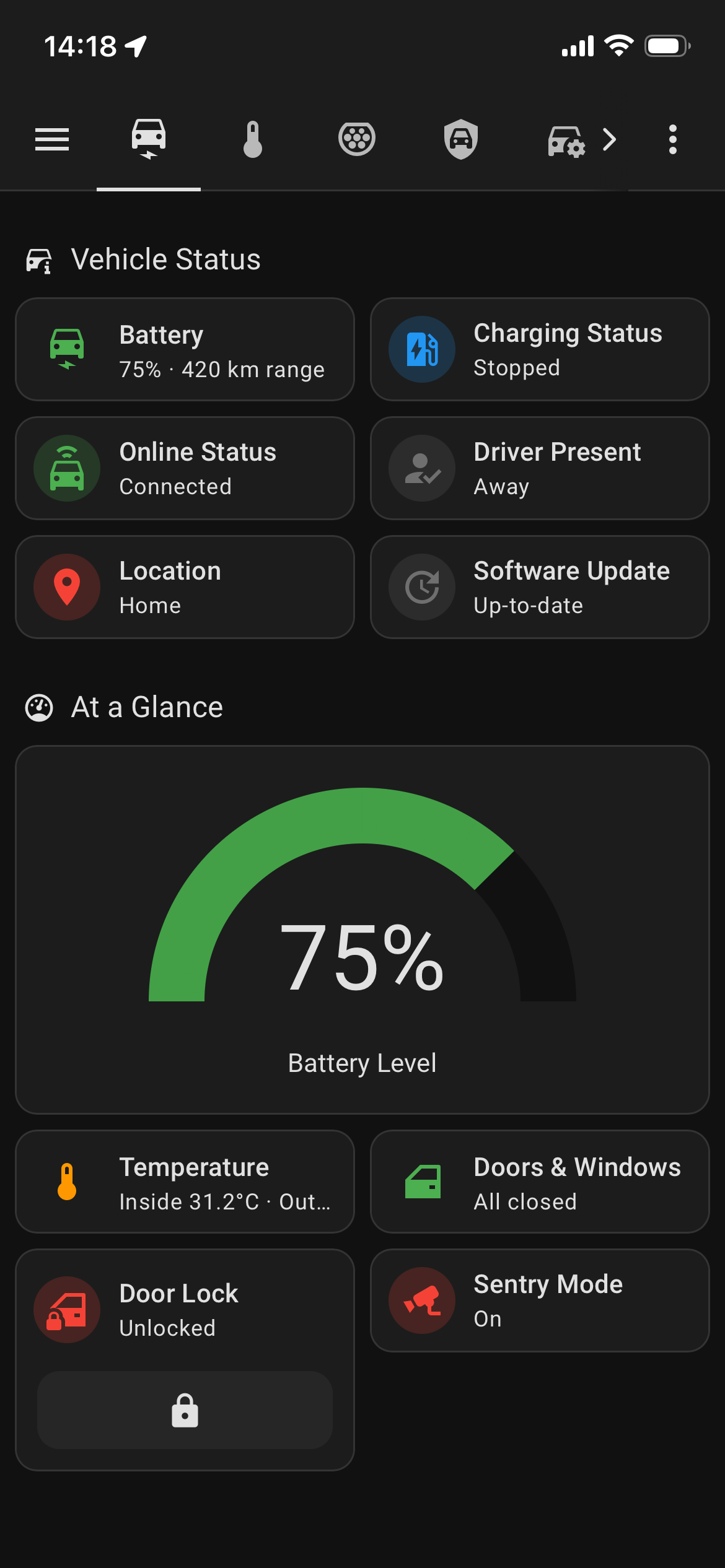
Vehicle Status — battery, range, location, climate, doors, sentry, all on one card. The view I land on most often.
The Fleet API exposes a Tesla Model Y as roughly fifty entities through the official Tesla Fleet HACS integration. Most are noise — internal flags, debug counters, fields nobody has touched in a year — but the useful ones cluster into a handful of views that turned out to be how I actually look at the car.
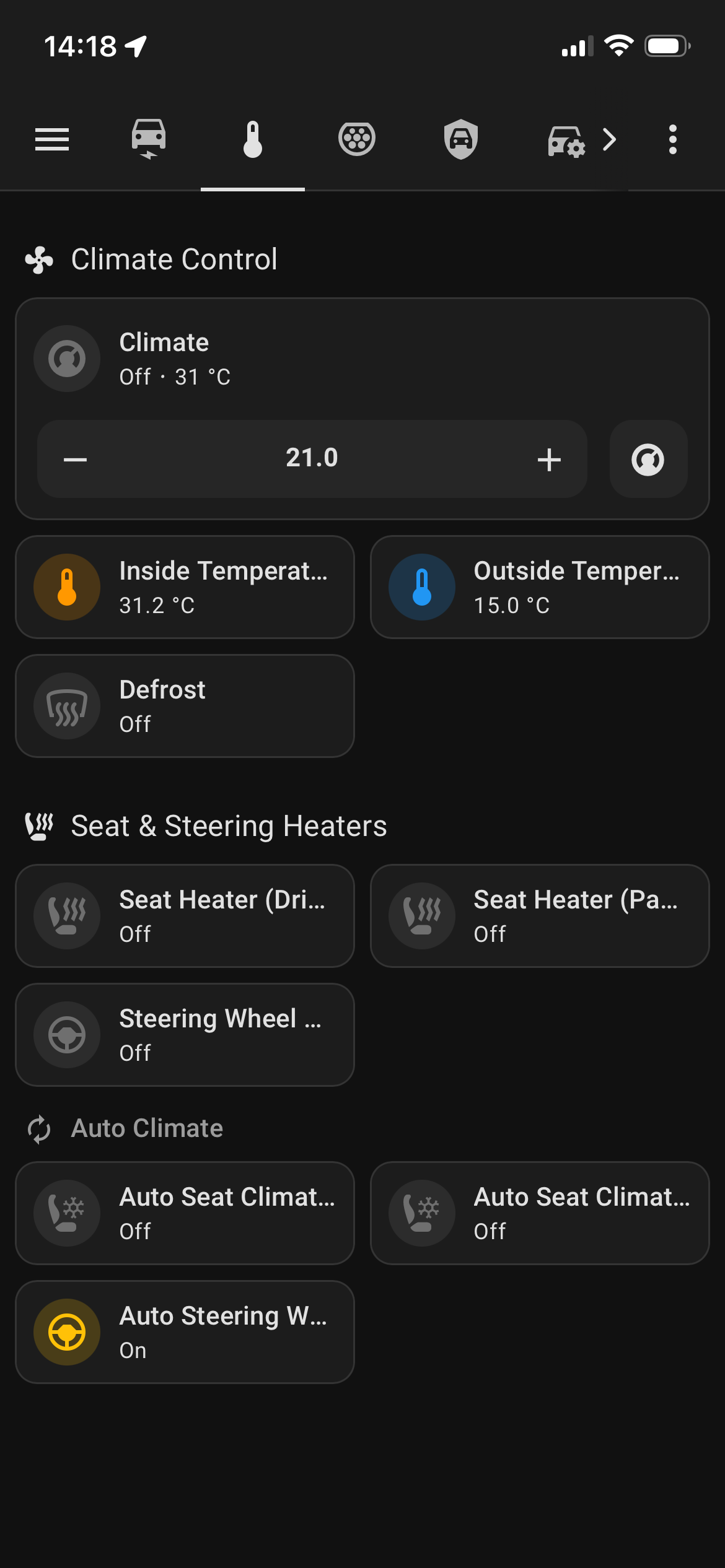
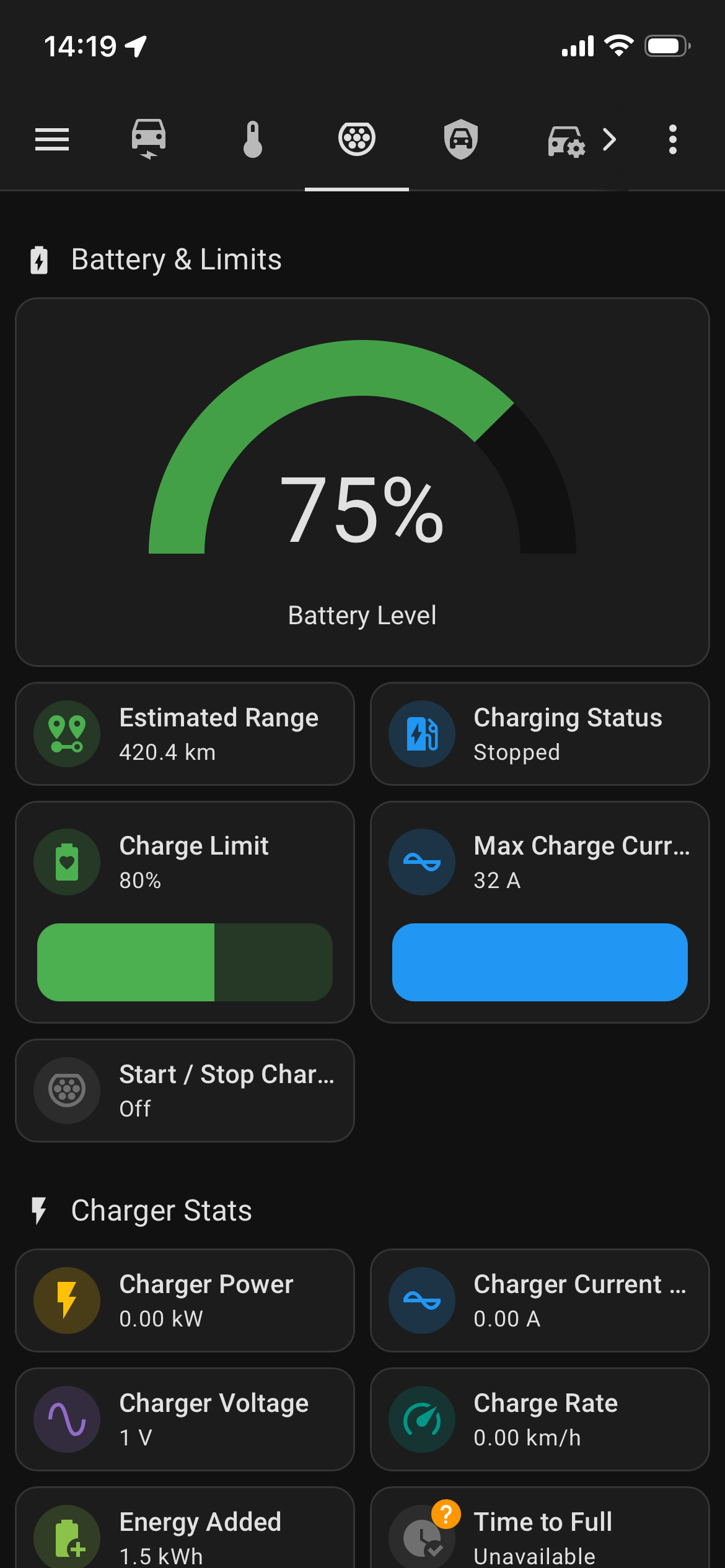
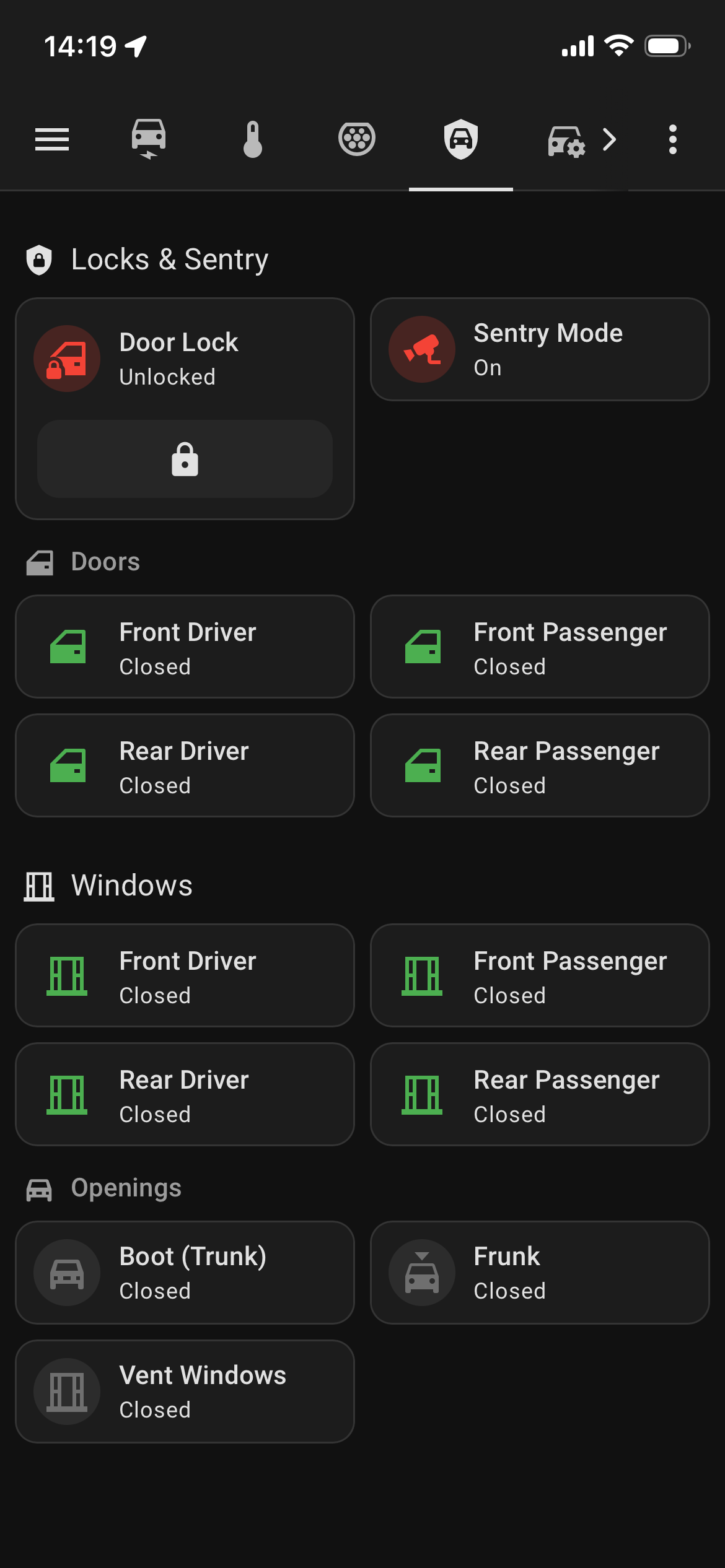
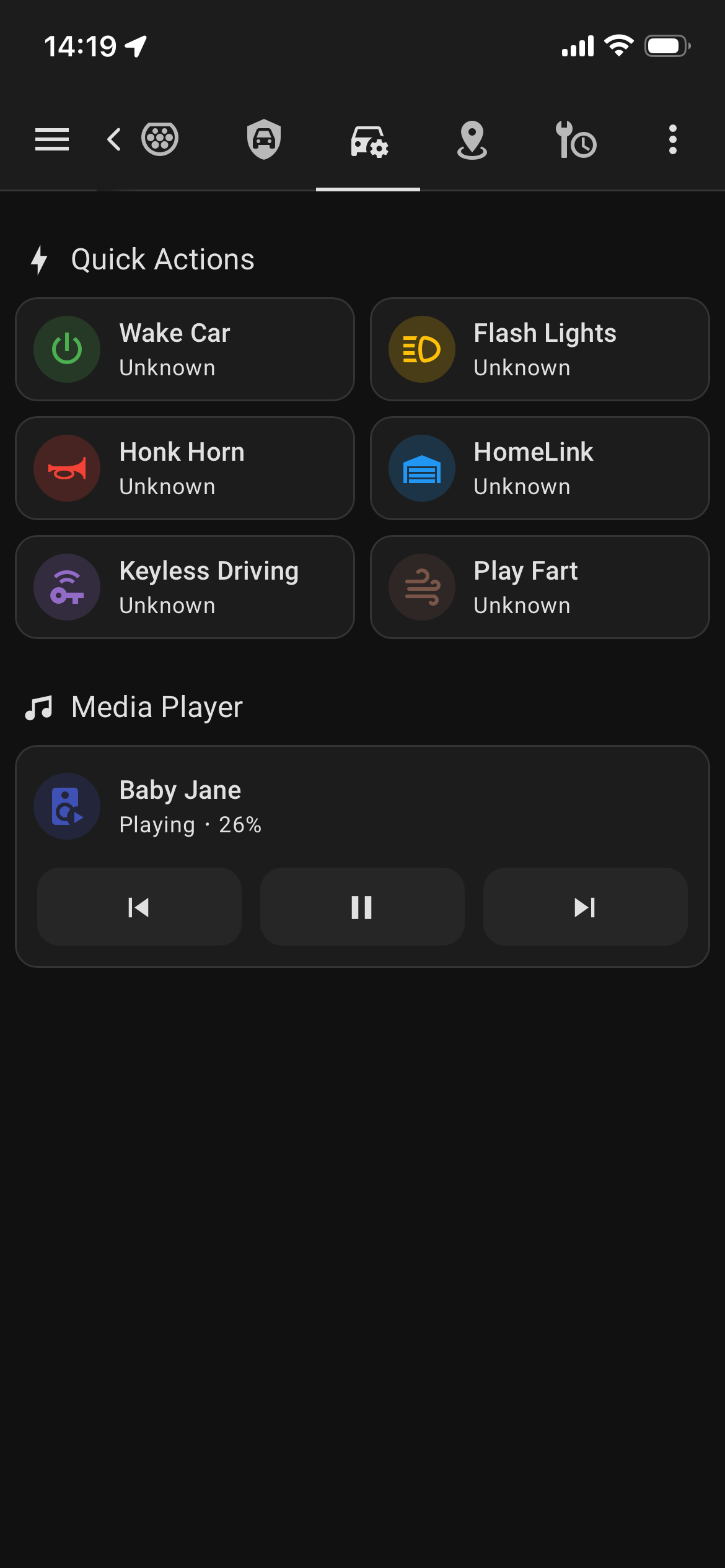
The whole thing is Lovelace sections layout with Mushroom cards, which makes the dashboard responsive on the phone without me thinking about it. The "Drive & Maintenance" view further down is built by a small Python script, build_tesla_view.py, which reads the dashboard JSON, appends a programmatically-constructed view (with conditional templates for tyre-pressure colour bands and shift-state labels), and pushes it back via the Home Assistant WebSocket API. Keeping that view in code makes it easy to rebuild after entity-name drift between Home Assistant versions.
Counting only the charging I pay for
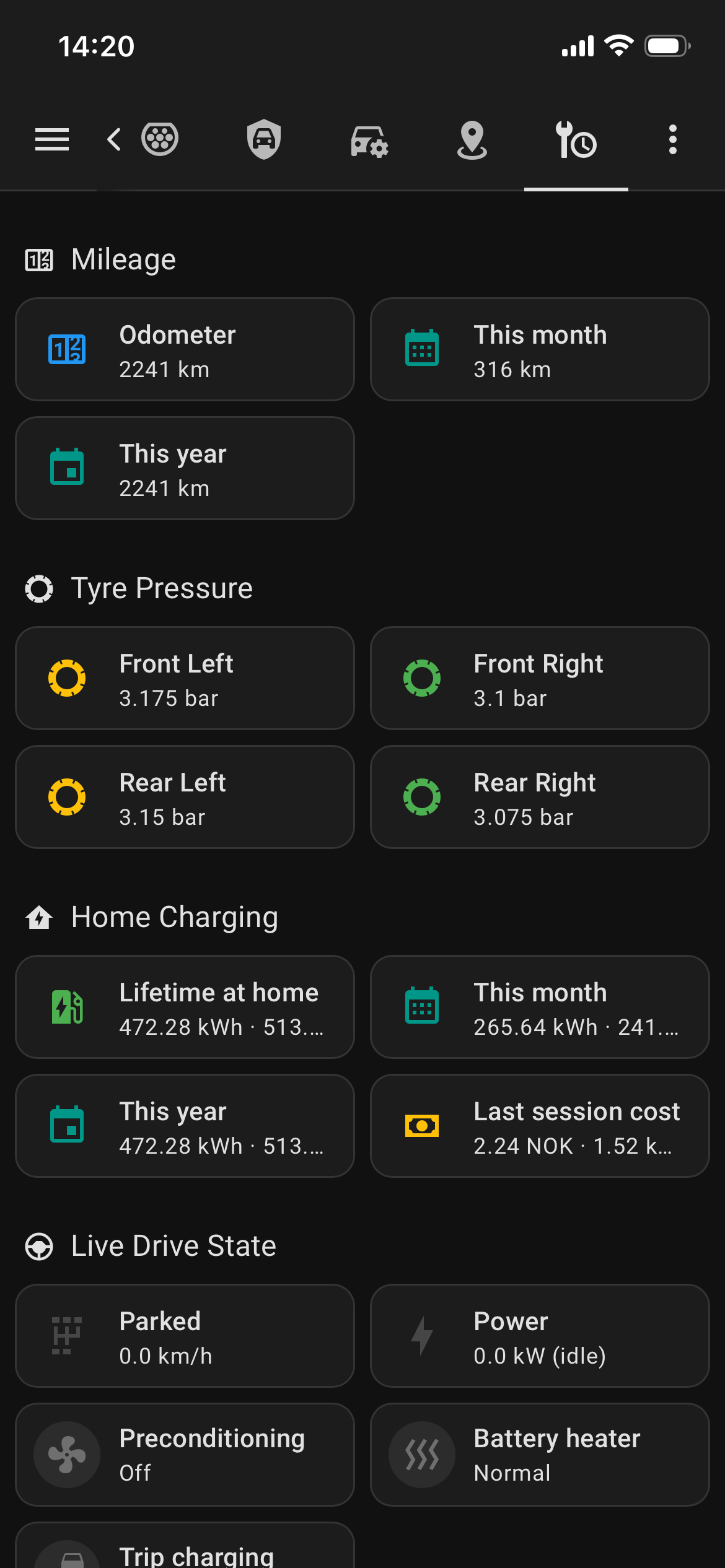
Drive & Maintenance — the view built from build_tesla_view.py. Mileage by month and year, tyre pressure with green/amber/red bands, home-only charging totals, live drive state.
The Tesla integration exposes a lifetime charge_energy_added counter, but it counts everything — Supercharging on a road trip, the friend's wallbox you borrowed once, the destination charger at the hotel. None of that shows up on my electricity bill. For "what does it cost to drive this thing," I needed a home-only meter.
A small Home Assistant package, packages/tesla_meters.yaml, handles this. The core is a trigger-based template sensor that fires when a charging session ends:
- trigger:
    - trigger: state
      entity_id: sensor.tesla_modely_ppgr_charging
      to:
        - stopped
        - complete
        - disconnected
  sensor:
    - name: "Tesla home charging lifetime"
      unit_of_measurement: kWh
      device_class: energy
      state_class: total_increasing
      state: >
        {% set prev = this.state | float(0) %}
        {% set added = states('sensor.tesla_modely_ppgr_charge_energy_added') | float(0) %}
        {% set location = states('device_tracker.tesla_modely_ppgr_location') %}
        {% if location == 'home' and added > 0 %}
          {{ (prev + added) | round(3) }}
        {% else %}
          {{ prev }}
        {% endif %}
Two filters do the actual work. location == 'home' is the obvious one. The added > 0 check matters because a "disconnected" event with zero kWh fires when the cable is plugged in but the session never started — easy to miss, and it would inflate the count by exactly nothing each time, which somehow feels worse than getting an outright wrong number.
Monthly and yearly cycles are utility meters layered on top, so tesla_home_charging_monthly and tesla_home_charging_yearly reset themselves on schedule without any further code. The dashboard reads them directly.
Cost that doesn't lie to itself
Multiplying the home-charging kWh by a single price point at session end gets you a number, but the number is wrong as soon as the spot price moves during the session — which on Nord Pool happens every hour. The cleaner approach is to integrate over the session.
This is what the tesla_meters.yaml automation does. It triggers on every change to sensor.tesla_modely_ppgr_charge_energy_added and adds (new − previous) × current_spot_price to a persistent accumulator (input_number.tesla_charging_cost_acc). Three guards: positive delta only (session-start resets cause the counter to drop to zero, which would otherwise produce negative cost), home location only, valid Nord Pool price only.
- id: tesla_charging_cost_accumulate
  triggers:
    - trigger: state
      entity_id: sensor.tesla_modely_ppgr_charge_energy_added
  conditions:
    - condition: template
      value_template: >-
        {% set f = trigger.from_state.state | float(-1) %}
        {% set t = trigger.to_state.state | float(-1) %}
        {{ f >= 0 and t >= 0 and (t - f) > 0 }}
    - condition: state
      entity_id: device_tracker.tesla_modely_ppgr_location
      state: home
    - condition: numeric_state
      entity_id: sensor.electricity_price_current_total
      above: 0
  actions:
    - action: input_number.set_value
      target:
        entity_id: input_number.tesla_charging_cost_acc
      data:
        value: >-
          {% set prev = states('input_number.tesla_charging_cost_acc') | float(0) %}
          {% set delta = (trigger.to_state.state | float(0)) - (trigger.from_state.state | float(0)) %}
          {% set price = states('sensor.electricity_price_current_total') | float(0) %}
          {{ (prev + delta * price) | round(2) }}
  mode: queued
A few details earned their place the hard way. mode: queued matters because the integration emits rapid bursts of charge_energy_added increments when the car ramps up — losing them would silently undercount cost. I used the integration's own kWh counter rather than deriving from charger_power, because charger_power rounds to integers and the phase-detection logic occasionally flickers between values that don't match what the car records. The accumulator is an input_number rather than a template sensor so it survives restarts and is directly settable for backfill — there's no equivalent escape hatch on a trigger template.
The result is tesla_home_charging_cost_lifetime and matching monthly and yearly utility meters. The dashboard shows last-session cost at 2.24 NOK for 1.52 kWh — a short top-up at a low-tariff hour. Small number, right small number.
The Fleet API integration took longer to set up than I expected and less time than it should have. The public-key endpoint problem is genuinely confusing and most of the writeups online haven't caught up. The Worker solved that in fifteen minutes. The rest — entity mapping, dashboard, package — was a couple of evenings.
What it earned: an honest answer to "how much does this car cost me each month," in real money on my actual electricity tariff, instead of a vague feeling that EVs are cheap to run. And a dashboard I check often enough that the OEM app sits unused in a folder.
If I were starting from scratch on a different EV, I'd build the cost accumulator first and the dashboard second. The dashboard is the visible thing, but the meter is the one that tells you whether the car is doing what you bought it for.